
Client dashboard demo
Your SKU work, in one place.
Upload the file your system already exports, choose the format your system loads, and get back the load file and the review spreadsheet, with every gap explained.
Every screen below is the example dashboard, which you can open and click through. The results in it come from a live run on 7 public open-hardware board BOMs (56 parts) against the Digi-Key, Mouser and LCSC catalogs on October 2, 2026: 39 part identities verified, 17 held for review. Nothing in the results is edited by hand.
Follow the evidence
A result your reviewer can inspect.
The record. The evidence. The decision.
See what changes. Know what needs review.
- Manufacturer
- Taiyo Yuden
- Part number
- TMK105BJ104KV-F
- Description
- CAP CER .10UF 25V X5R 0402
- Digi-Key reference
- 587-1456-1-ND
- Mouser reference
- —
- LCSC reference
- —
- Manufacturer
- Taiyo Yuden
- Part number
- TMK105BJ104KV-F
- Package
- 0402 (1005 Metric)
- Lifecycle
- Active
- RoHS status
- ROHS3 Compliant
The part number matches the supplier evidence. Catalog values are proposed for your review.
Evidence: Digi-Key + Mouser
Compared against recorded supplier evidence from Digi-Key and Mouser. The full demo includes source references and file fingerprints for technical review.
Inspect sources in the full demoLooping replay of four records from the October 2, 2026 public-board sample. Select a record to pause and inspect. Matched fields remain proposals for review; unresolved identities are withheld from the load file. Explore the full workflow
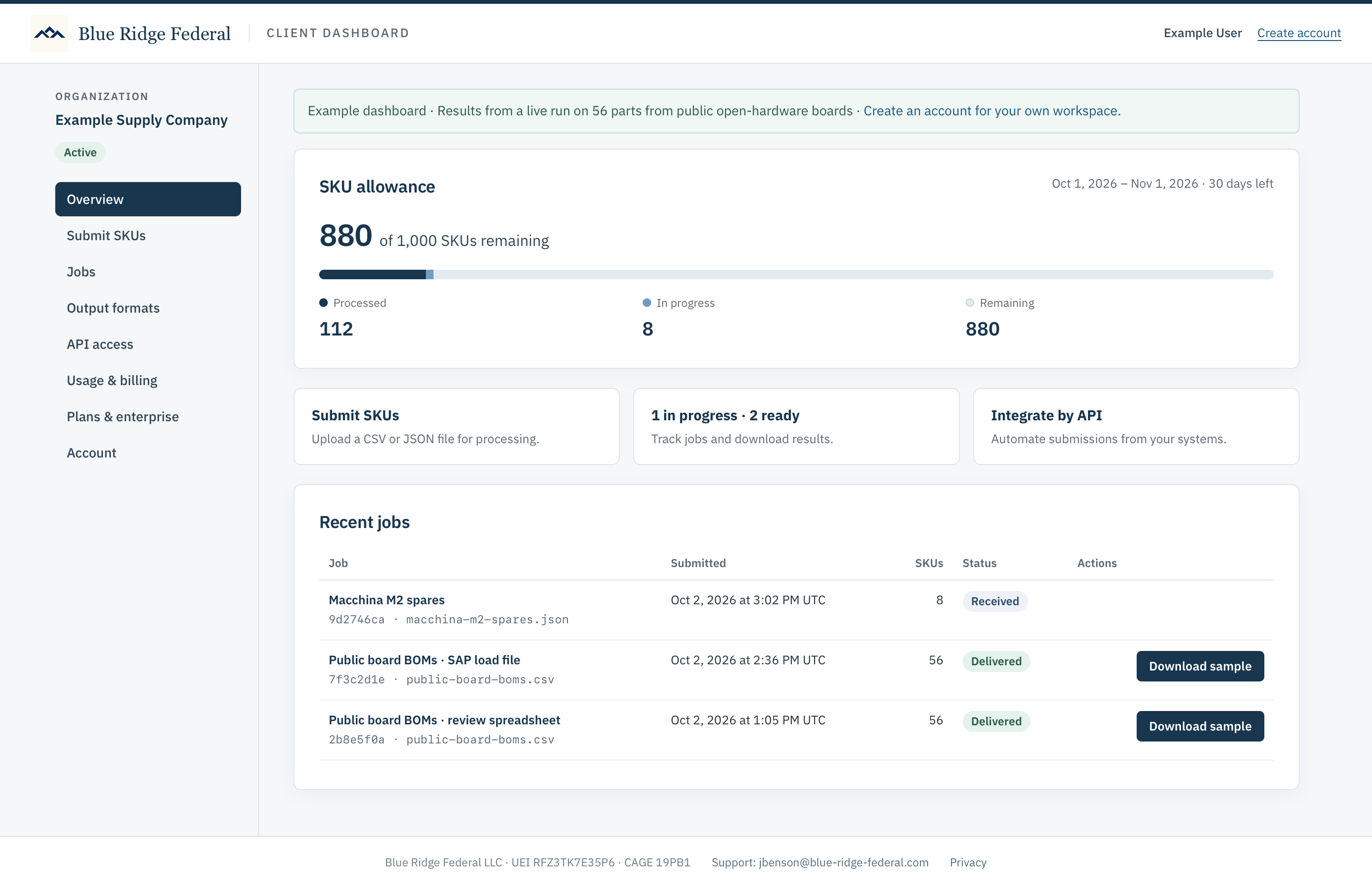
Step 1
Start from your dashboard
Your allowance, what is in progress and what is ready to download, in one place. Every job keeps its input file, its SHA-256 fingerprint and its receipt.
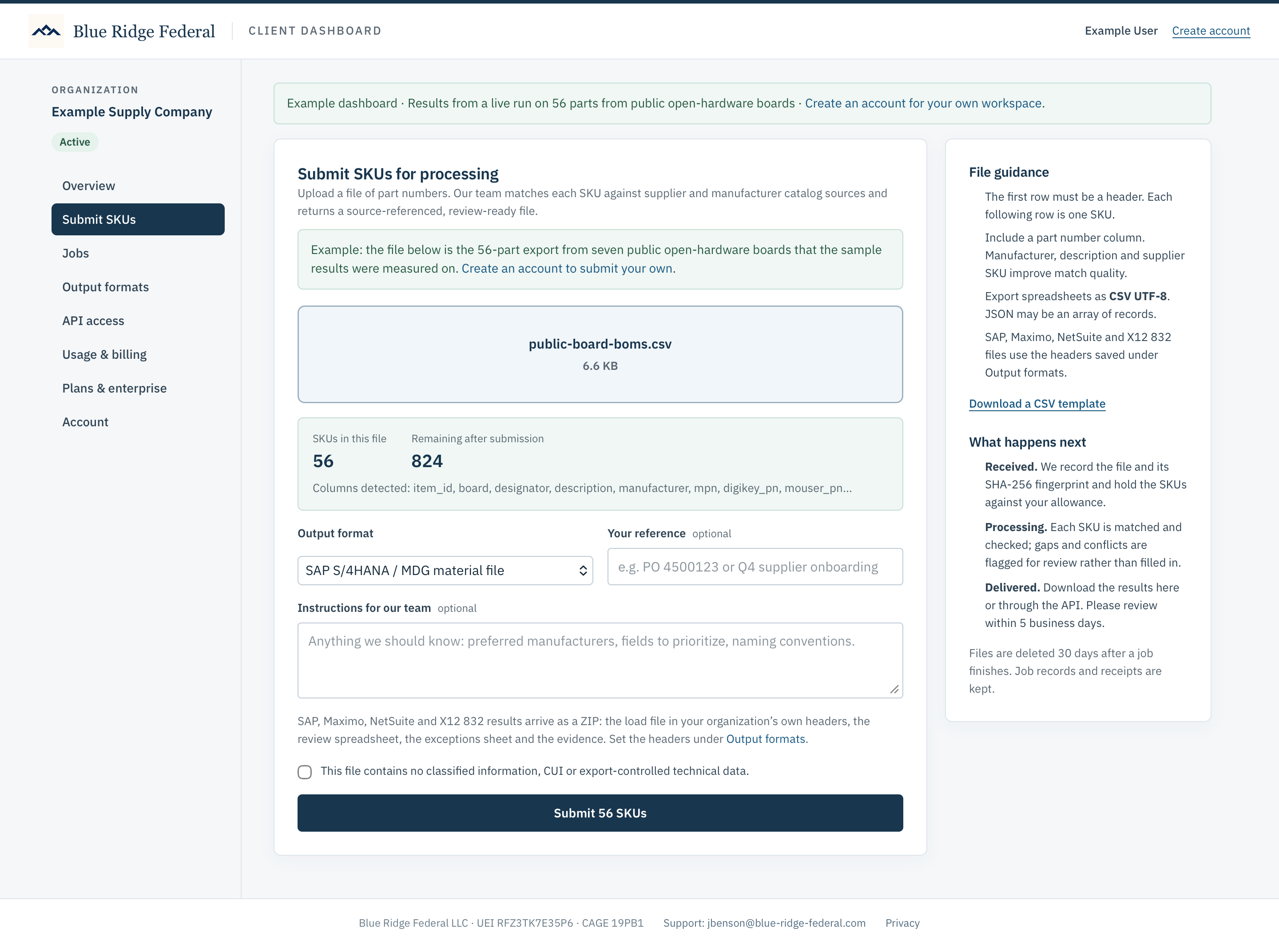
Step 2
Upload the file your system already exports
Choose a file or drag it in. Before anything is submitted, the dashboard reads the header, counts the SKUs and shows which columns it recognized. Here it is the 56-part board export: item IDs, designators, descriptions, manufacturer part numbers and supplier codes, exactly as exported. No template to fill in first.
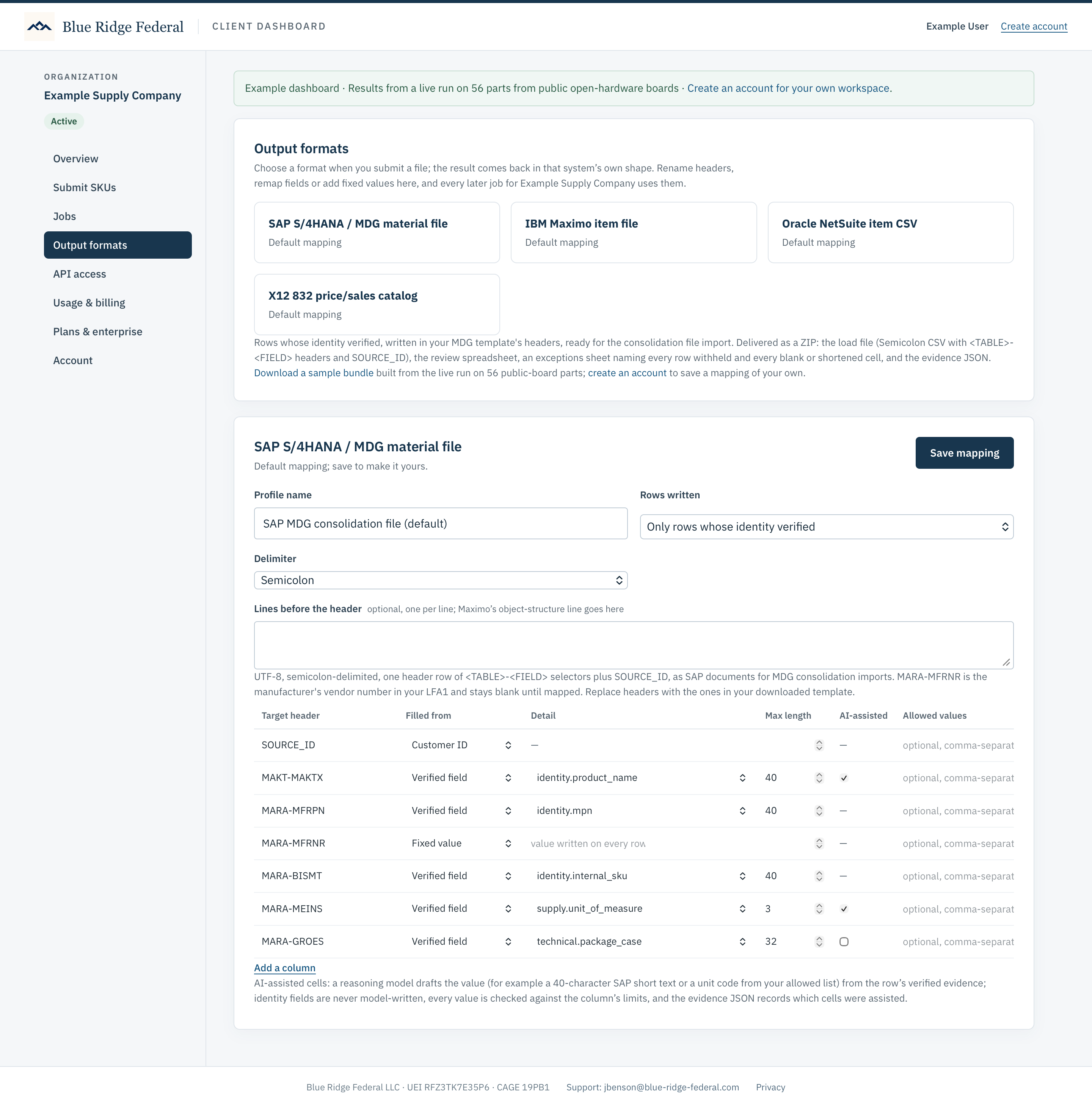
Step 3
Choose the format your system loads
Pick SAP S/4HANA / MDG, IBM Maximo, Oracle NetSuite or an X12 832 catalog when you submit, or a plain review spreadsheet or JSON. Each system format has a mapping your organization owns: rename the headers to match your template, choose which verified field fills each one, add fixed values and allowed-value lists. Save it once and every later job uses it. Part identity is never written by a model; the short-text and unit-code cells marked AI-assisted are drafted from the verified evidence and checked against the field’s limits.
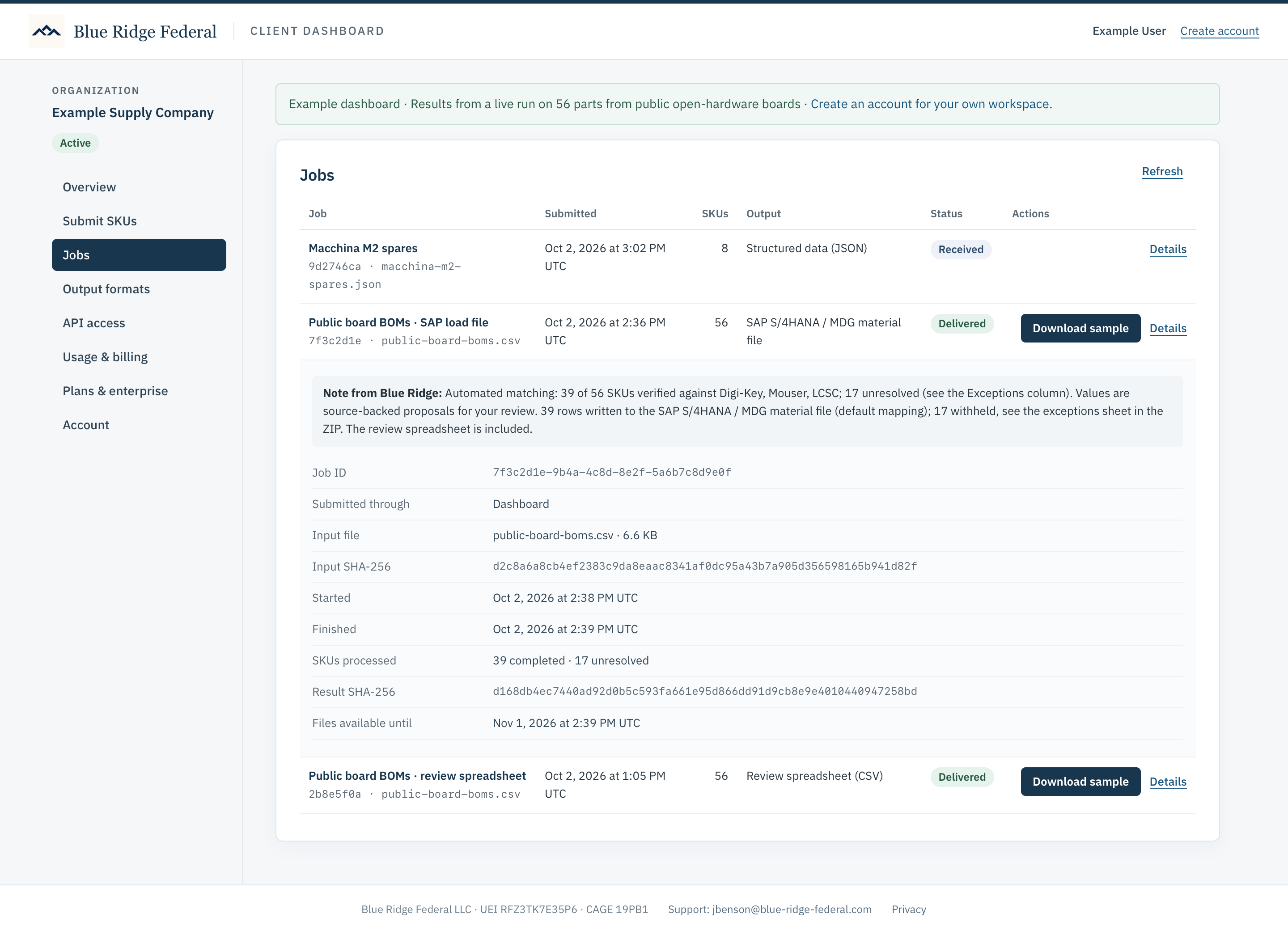
Step 4
Follow the job to delivery
Received, processing, delivered. The job record shows how many SKUs verified against a supplier catalog, how many were held for review, and the fingerprints of the input and the result. Results download here or through the API, and a note explains exactly what was done.
Step 5
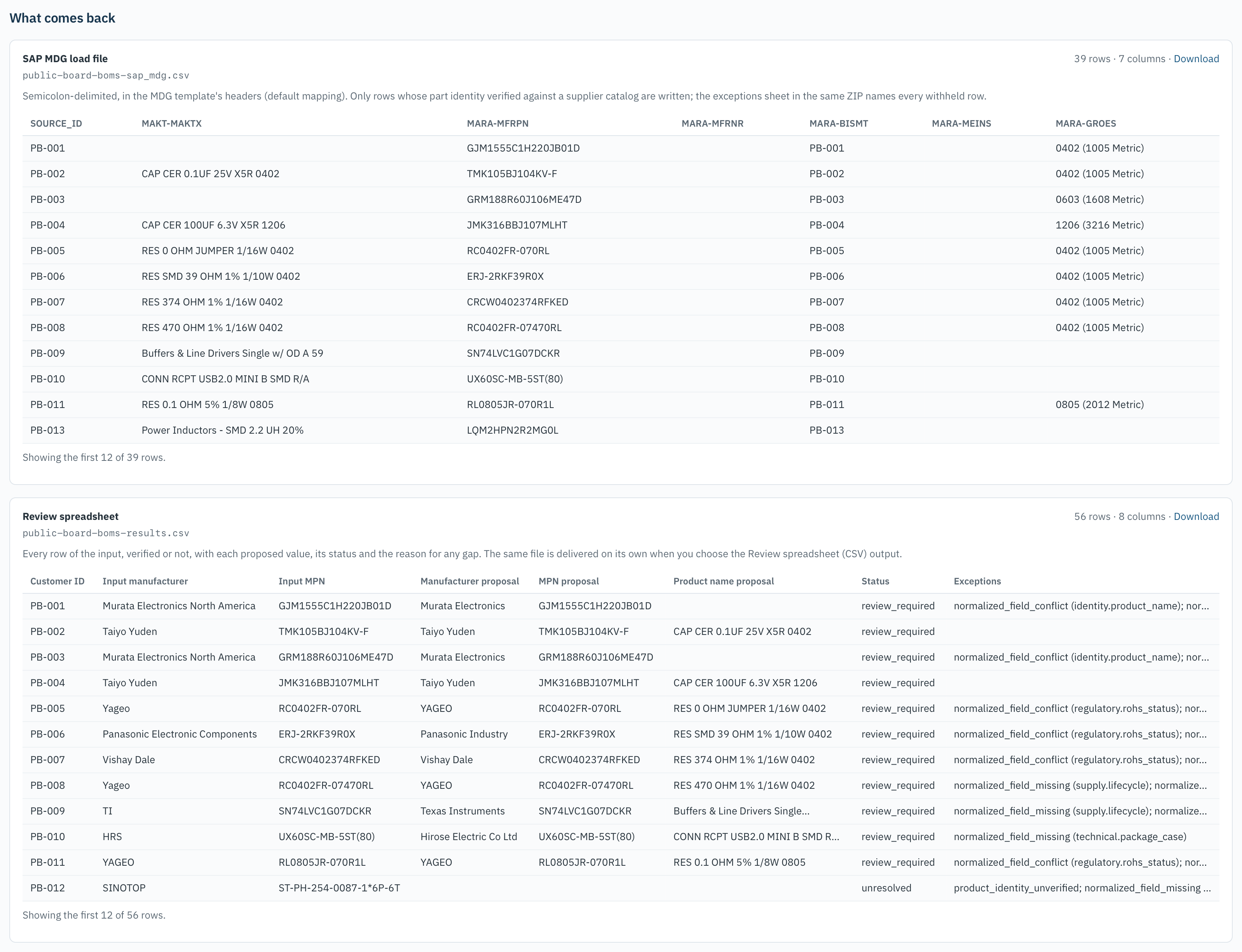
Two files come back
The load file in your system’s own headers, carrying only the rows whose part identity verified (39 of 56 here), and the review spreadsheet with every row, each proposed value, its status and the reason for any gap. The exceptions sheet and the full evidence record travel in the same ZIP. Download the sample bundle or the review spreadsheet on its own.
Start with up to 1,000 SKUs
Create an account to see the three self-service tiers. For larger volumes, integrations, or company-wide requirements, request a briefing using the enterprise questionnaire in your account.
Watch the walkthrough · 4:59
From messy files to usable product data
See how Blue Ridge Federal reads your files, checks parts against official supplier catalogs, and prepares traceable records and output files for your business systems.
Narrated walkthrough with on-screen captions. Download the video.